Documentation
Matches & odds
How to read the match list and compare odds by market.
A match card
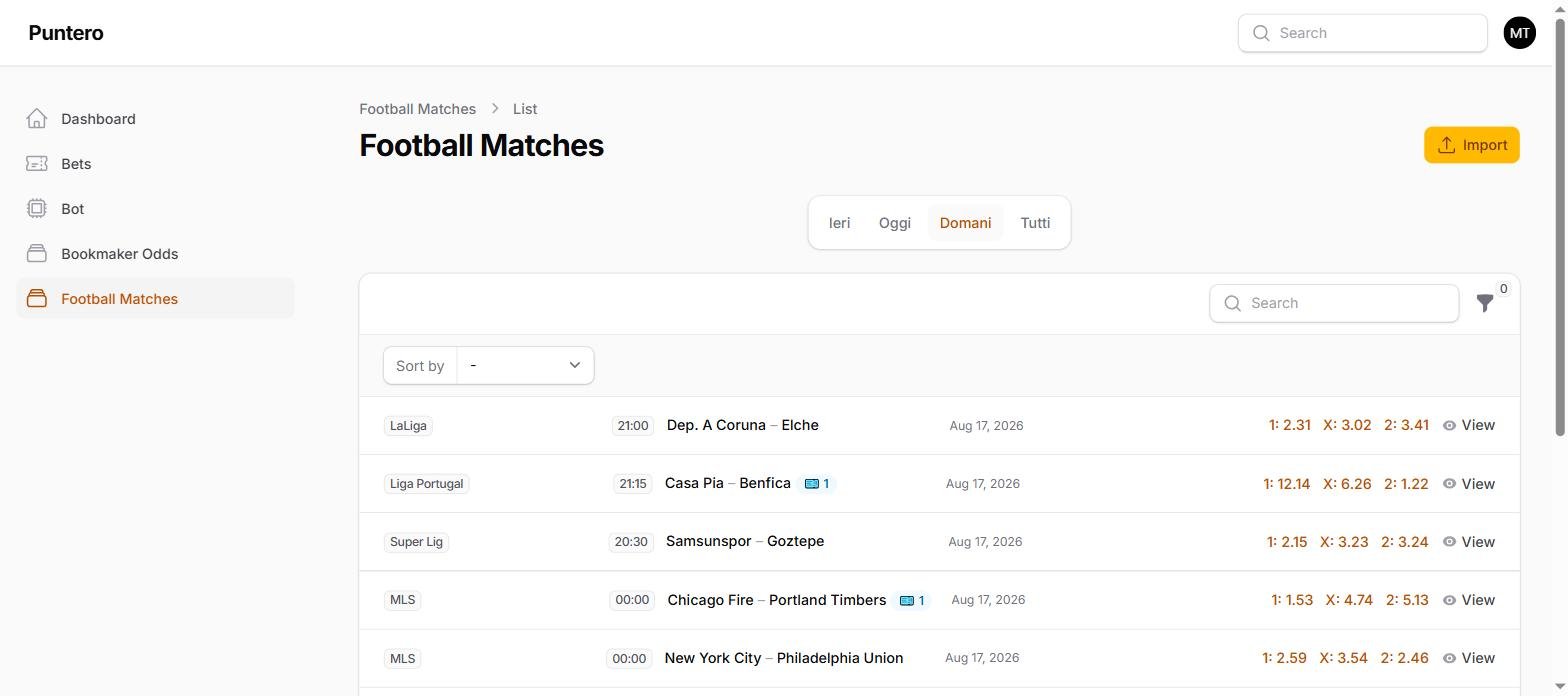
Each row in the match list shows: league, kickoff time or status, the two teams (with the score if the match has started or finished), the date and — when available — the best 1X2 odds.
Status badges
- Gray — match not started yet (shows the kickoff time).
- Yellow — match in progress (live, first or second half, halftime).
- Green — match finished. The winning team is also highlighted in green.
- Red — match postponed, cancelled or suspended: you can't bet on it.
The blue badge with a number next to the team names shows how many bets you've already placed on that match.
Comparing odds by market
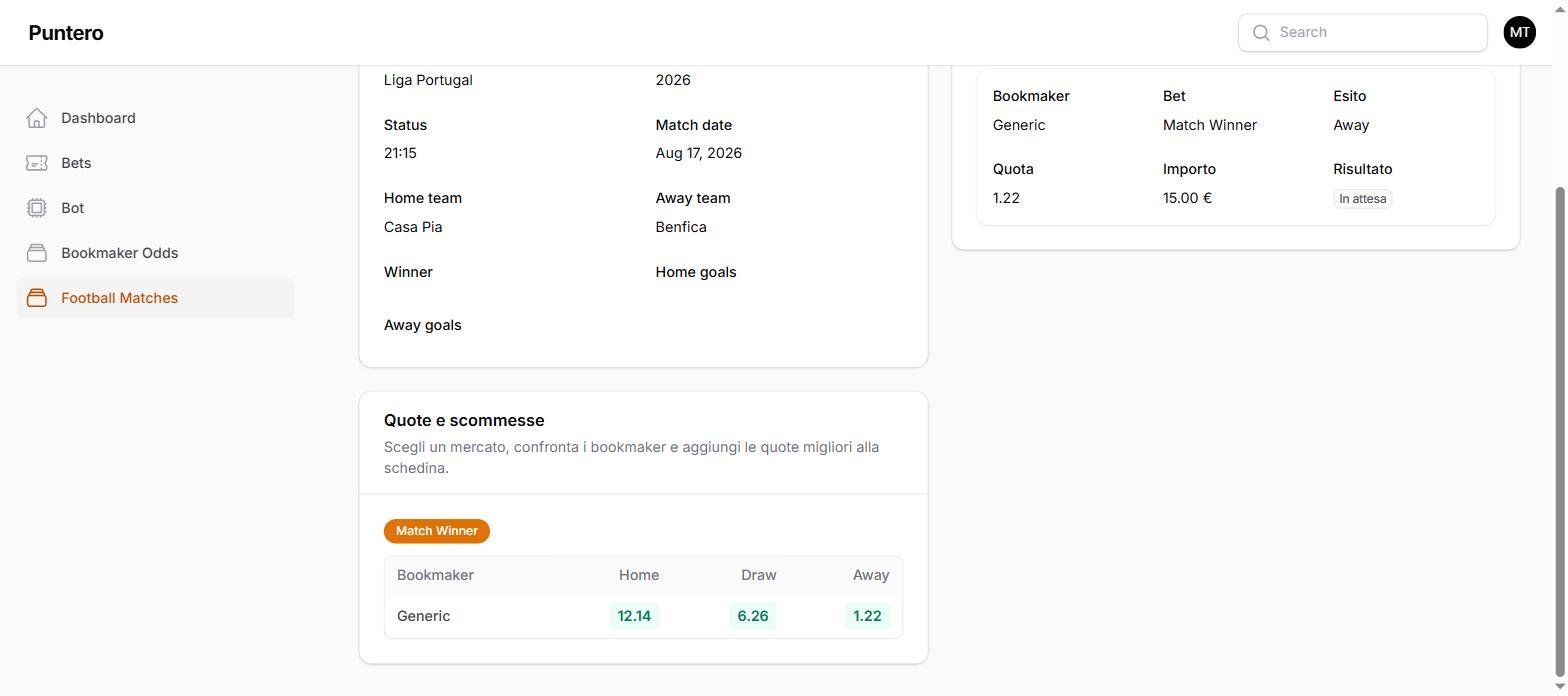
Opening a match's detail page shows the "Odds & bets" section: choose a market (e.g. Match Winner, Over/Under) and see the table with every bookmaker's odds for that market. The highest odd for each outcome is highlighted in green: it's the best price if you pick that outcome.
Quick 1X2 pills
In the match list, next to every bettable row, you'll find three buttons with the best odd for 1 (home win), X (draw) and 2 (away win). One tap adds that selection straight to your bet slip, without opening the match's detail page.